
ChowNow: Local Food Ordering
ChowNowFood & Drink
4.61.22K Reviews
- Version
- 1.70.0
- Installs
- 500.00K
- Age Rating
- Everyone
Screenshots
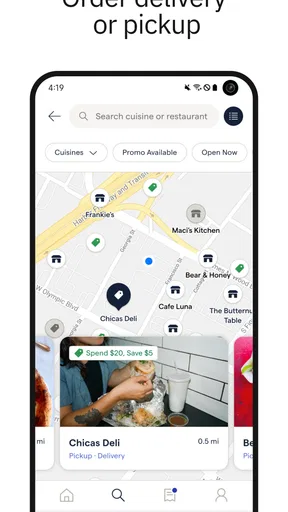
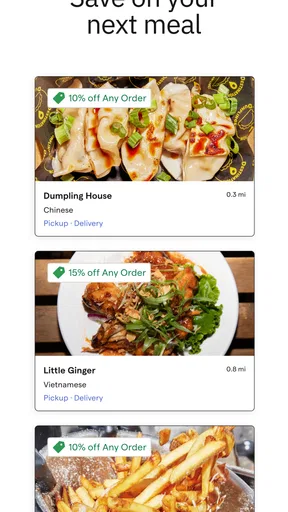
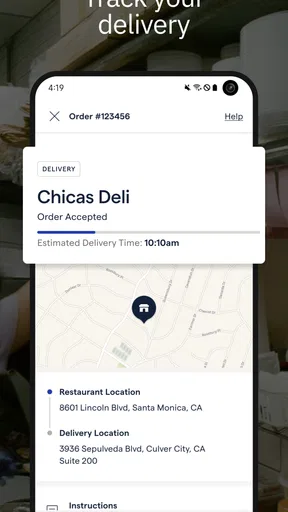
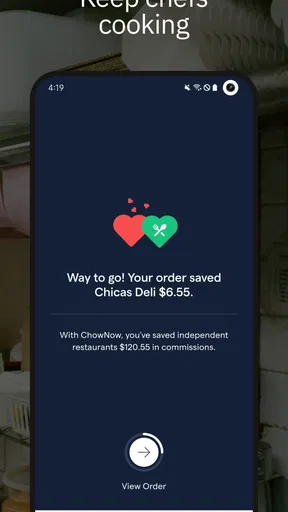
Our Review of ChowNow: Local Food Ordering
 Analysis by Appyee
I reach for ChowNow: Local Food Ordering when the difficult part of dinner is not choosing food, but getting several people to agree on it. In my experience, the app makes the most sense in a household where one person is ordering for the group, roommates are sharing a meal, or everyone wants takeout without passing around a phone and opening several restaurant pages. It is a free Food & Drink app from ChowNow, and its central appeal is straightforward: it brings local takeout choices into one ordering experience.
That sounds simple, but simplicity matters when people are hungry and the order has several moving parts. I can browse, compare what is available, and keep the practical details of the meal in one place instead of collecting messages, screenshots, and separate checkout steps. The app is rated for Everyone, which fits its everyday role, although an age label should not be confused with independent purchasing authority. A child may be able to look through food options, while an adult still needs to handle the account, payment, address, and final confirmation.
How ChowNow fits into a shared household order
The most useful scenario for me is a busy evening when different people want different things. Imagine two adults arriving home late, one teenager wanting something familiar, and a roommate joining at the last minute. The usual approach is a group chat full of short replies: “What do you want?”, “Which place?”, “Is that delivery?”, and “Who is paying?” ChowNow can reduce that back-and-forth by giving the person managing dinner a single place to explore local takeout and assemble the decision.
I would still treat it as an ordering tool rather than a household voting system. The app does not replace the conversation about allergies, portions, budget, or pickup timing. Its value is that once those decisions are made, the practical part is less scattered. One person can take responsibility for the final basket while others contribute preferences verbally or through a shared device.
This distinction is important for families. A shared tablet or phone can be useful for browsing together, but the person who confirms the order should be the person who understands the address and payment details. I would not hand over that final step casually, especially when several household members use the same device. Convenience is strongest when responsibility stays clear.
For roommates, the app is most helpful when one person places the order and the group settles up separately. I would write down each person’s items before checkout rather than trying to reconstruct the total afterward. That small habit avoids a common problem with shared takeout: someone remembers the entrée but forgets the drink, side, or added item. ChowNow can organize the order, but it cannot decide how your household divides the cost.
There is also a useful trade-off here. A single combined order may be easier to manage, but it can make one person responsible for every change. If a roommate changes their mind late, the organizer has to review the basket and make sure the adjustment is actually reflected before submitting it. For a small group, that is manageable. For a large gathering, a direct restaurant conversation or a more specialized group-ordering workflow may be less stressful.
Starting without giving the whole household control
My preferred setup is to begin with one designated organizer. That person installs the app, checks the available local choices, and keeps the ordering session under their control. Other household members can browse with the organizer or suggest items, but I would avoid creating a habit where everyone edits the same checkout process independently. Clear ownership prevents accidental changes and makes it obvious who should check the final details.
This is especially relevant on a shared device. If several people use the same phone, I would inspect the active account before starting an order. I would also check the delivery address and the selected payment method before confirming anything. These are ordinary precautions, but they matter more when the device is passed between adults, teenagers, and guests. A food-ordering app is convenient precisely because it can retain useful ordering context; that same convenience deserves careful handling on a communal device.
For a personal phone, I find the boundaries easier. I can use the app for my own meals, decide whether I am ordering for pickup or delivery when those choices are available, and keep the final review in my hands. On a family phone, I would treat the app as a supervised browsing and coordination tool until an adult reaches the final confirmation screen.
One practical tip is to decide the destination before comparing restaurants. If I start by browsing without knowing whether the meal is going to a home, workplace, or another permitted location, I can waste time considering options that do not suit the occasion. Setting the context first also helps the group discuss timing realistically. Takeout for a quiet evening at home has different priorities from food needed during a short break at work.
Another useful habit is to review the basket from the perspective of the whole group, not just the person who built it. I check names, quantities, sides, drinks, and special instructions in one pass. This catches the quiet errors that are easy to miss when each person adds something verbally. The app can make the order more organized, but only a deliberate final review makes it dependable.
Coordinating preferences without turning dinner into a project
ChowNow works best when the household already has a simple decision process. I like using a short sequence: agree on the general type of food, narrow the choice to a few local options, then let each person state their exact item. That keeps browsing from becoming endless. The app is useful for the middle and final stages, but it cannot solve indecision by itself.
When people have different dietary needs, I would not rely on a quick glance at a dish name. The person with the allergy or restriction should inspect the restaurant’s information and, where necessary, contact the restaurant directly for clarification. Online ordering is convenient, but a menu interface is not a substitute for confirming serious allergen concerns. This is one of the situations where the usual alternative—speaking directly with the restaurant—may be the safer choice.
Shared ordering also benefits from a “no surprises” rule. Before anyone adds a special request, I would make sure the organizer knows about it and that the request is visible in the final review. A note entered by one person can be overlooked by another, especially when the phone changes hands. I find that reading the complete order aloud is faster than repairing a misunderstanding later.
For a household with children, I would separate menu exploration from purchase approval. Letting a child choose between a few appropriate options can make the process feel collaborative, but the adult should remain responsible for the account and confirmation. The Everyone content rating tells me the app is intended for a broad audience; it does not mean every feature or transaction should be treated as child-led.
Older children and teenagers may be comfortable navigating the app, yet they may not notice an incorrect address or understand the consequences of a last-minute edit. I would let them help compare choices, then have an adult check the practical details. That arrangement gives them a useful role without pretending the app provides family-management tools that are not part of the experience I reviewed.
Account boundaries, trust, and everyday responsibility
Household use raises a question that is easy to overlook: whose account is this? I would keep one clear account holder responsible for saved information and completed orders. If a partner or roommate assists with browsing, that is different from giving them unrestricted control over account activity. On a shared device, I would be particularly careful about leaving an ordering session open after the meal is arranged.
I also recommend separating “helping choose” from “being allowed to confirm.” That boundary is useful even among trusted adults. It prevents a guest from accidentally submitting an order, stops a child from making an unintended purchase, and gives the person paying one last chance to verify the details. The app’s convenience should support household trust, not depend on everyone having identical access.
For people who regularly order for others, a small written routine helps: identify the destination, collect dietary notes, confirm who is paying, review each item, and tell the group what was submitted. This may sound overly methodical for takeout, but it becomes valuable when several people are involved. It also makes the app easier to use for a workplace lunch or a casual gathering where the organizer is not the only person eating.
One limitation I noticed is that the app cannot remove the social friction of collecting decisions. If one person is slow to answer, the organizer still has to chase them or make a reasonable choice. Similarly, the app does not replace a household agreement about spending. A free app is not the same as free food, and the final order still needs a responsible adult or agreed payer behind it.
The app is also not my first choice when I already know I need a highly customized conversation with a restaurant. In that case, calling may provide clearer answers than entering a request into an ordering flow. I would also compare the experience with ordering directly from a restaurant when I care about an established loyalty program, a specific restaurant-side policy, or a detail that requires personal confirmation. ChowNow is strongest when convenience and local discovery matter more than maintaining several separate restaurant relationships.
What the app’s maturity tells me
ChowNow has been available since April 20, 2020, and the current version is 1.70.0. That gives me the impression of an established service rather than a brand-new experiment. It has passed 500 thousand installs, with an average rating of 4.6 from about 8.1 thousand ratings and roughly 1.2 thousand written reviews. Those figures do not guarantee that every local ordering experience will be smooth, but they do suggest that many people have found the app useful enough to keep using.
The minimum operating-system requirement is version 9, which makes the app approachable for people using older supported devices. That matters in a household where the shared tablet is not the newest device. I would still keep the operating system and app updated when possible, because ordering food is one of those tasks where a stable device is more valuable than squeezing a little extra life out of outdated software.
The free price is another reason it is easy to try. I can evaluate whether the local restaurant selection and ordering flow suit my area without paying for access to the app itself. The real decision is not the download cost; it is whether the available choices, ordering conditions, and household workflow make sense for the meal I am planning. That is why I would test it with a simple order before relying on it for a larger gathering.
I would also avoid assuming that the app will feel identical in every location. Local food ordering depends heavily on which restaurants participate and what they offer in a particular area. If the nearby choices are limited, a restaurant’s own app or website may be better. If the local selection is strong, ChowNow becomes more useful because it can reduce the need to jump between separate ordering destinations.
When it beats the usual alternatives—and when it does not
Compared with calling each restaurant, ChowNow is more convenient for browsing and collecting a straightforward order. I do not have to repeat the address and item list during a phone conversation, and the group can see the menu choices before the organizer confirms. Calling still wins when the order is unusual, the request is sensitive, or I need a direct answer about ingredients and preparation.
Compared with visiting individual restaurant websites or apps, the appeal is having a more unified starting point for local takeout. That is particularly helpful when the household has not decided where to order. The downside is that a restaurant’s own channel may offer a more familiar experience for returning customers or may expose details that are easier to discuss directly. I see ChowNow as a practical hub, not an automatic replacement for every restaurant-specific option.
Compared with a general delivery marketplace, the experience is best judged by the local restaurants available to me and the type of meal I want. If my priority is quickly comparing many kinds of food, a broad marketplace may feel more flexible. If my priority is arranging local takeout through a focused food-ordering app, ChowNow may feel less cluttered. I would choose based on the actual neighborhood selection rather than assuming one service is universally better.
For shared devices, ChowNow has a clear advantage over a pile of restaurant apps: the household does not need to teach everyone several different interfaces just to place one group order. That said, the organizer still has to manage the account boundary, payment responsibility, and final review. The app simplifies the route to the order; it does not eliminate the need for a sensible household process.
Who should use it and who should skip it
I would recommend ChowNow to someone who regularly orders local takeout, wants one place to begin comparing options, or often coordinates food for a partner, roommates, or a small family. It is especially suitable for an adult organizer who wants other people to contribute preferences while keeping the final checkout controlled. The free entry point and Everyone rating also make it easy to introduce in a household where different ages share the same device.
I would be more cautious if your meals depend on detailed allergy discussions, complex substitutions, or a restaurant that you already know handles orders better by phone. I would also skip it as my main option if the local selection does not match what I usually eat. A polished ordering flow cannot compensate for unsuitable restaurants. In those cases, direct ordering is the more sensible choice.
People who dislike managing group decisions may not find the app transformative. It can gather the order, but someone still needs to decide, check, pay, and communicate. Likewise, a household that wants each person to pay separately may find a single shared order less convenient than individual purchases. The best fit is a group comfortable with one designated organizer.
My household verdict
After using ChowNow as a shared takeout tool, I see its strongest quality in the small reduction of friction between “we should order food” and “the order is ready to submit.” It gives the organizer a practical place to browse local choices and assemble a meal while keeping the process understandable for everyone else. I appreciate that it can support family and roommate coordination without requiring every person to take over the account.
My advice is to use it with clear boundaries: one responsible organizer, an agreed destination, explicit dietary communication, and a final review before confirmation. Those habits matter more than any individual convenience feature. They are also what make the app suitable for a shared phone or tablet rather than merely a personal ordering device.
ChowNow is not the right answer for every restaurant, every neighborhood, or every complicated meal. Direct contact can be better for sensitive questions, and a restaurant’s own ordering channel may suit loyal regulars. But for everyday local takeout, especially when several people need to coordinate without passing around a confusing chain of messages, I think it earns a place on the device. My bottom line: use it as the household’s organized ordering desk, not as a substitute for adult judgment or clear communication.
Verdict
Strengths of ChowNow: Local Food Ordering
- Supports ordering from independent local restaurants.
- Restaurant menus, prices, and availability are shown in one place.
- Offers scheduled ordering for planned meals and events.
- Order tracking helps you follow delivery progress.
- May provide exclusive restaurant deals and promotions.
Limitations of ChowNow: Local Food Ordering
- Restaurant availability varies significantly by location.
- Delivery fees and service charges can increase the final total.
- Some restaurants may require minimum order amounts.
- Customer support quality can depend on the restaurant handling the order.
- Refunds or order changes may take time to resolve.
Similar Picks in This Category
View All
Rappi: Food Delivery, Grocery
Rappi, Inc - Delivery3.5

McDonald’s: Cupons e Delivery
Arcos Dorados4.3

Swiggy: Food Instamart Dineout
Swiggy4.7

Blinkit: Groceries & more
Blinkit4.8

foodpanda: food & groceries
Foodpanda GmbH a subsidiary of Delivery Hero SE4.0

Zomato: Food Delivery & Dining
Zomato4.7
Frequently Asked Questions
What is ChowNow: Local Food Ordering, and how does it work?
ChowNow is a food-ordering platform that lets you browse participating local restaurants, view their menus, customize items, and place orders for pickup or delivery where available. The app is designed to connect customers directly with independent restaurants rather than functioning only as a marketplace. Availability, ordering options, delivery coverage, fees, and estimated preparation times depend on the restaurant and your location.
Can I use ChowNow to order from any restaurant in my area?
No. ChowNow only lists restaurants that use its ordering service, so the selection varies considerably by city and neighborhood. After entering your location, the app shows participating restaurants that may offer pickup, delivery, or both. Before downloading or placing an order, it is worth checking whether your preferred local restaurants are supported, since coverage may be more limited than on larger national delivery platforms.
Does ChowNow charge delivery or service fees?
Fees on ChowNow can vary according to the restaurant, order type, distance, and local conditions. Some restaurants may offer pickup without a delivery fee, while delivery orders can include delivery charges, service fees, taxes, or minimum-order requirements. The app normally displays the applicable costs during checkout, so review the complete total carefully before confirming your order rather than relying only on the menu prices.
Can I customize meals and request special dietary instructions on ChowNow?
Many restaurants on ChowNow allow customers to customize menu items by selecting available options such as toppings, sides, sizes, or preparation preferences. Some listings also provide a notes field for allergy information or special requests. However, customization differs between restaurants, and a note does not guarantee that an order is safe for a serious allergy. Contact the restaurant directly when you need confirmation about ingredients or cross-contamination.
What should I do if my ChowNow order is late, incorrect, or missing items?
If there is a problem with an order, first check its status and estimated timing in the app, then contact the restaurant as soon as possible because the restaurant generally prepares and fulfills the order. ChowNow support options may also be available through the order details or help section. Keep your order number, receipt, and photos of incorrect items ready, since these details can help the restaurant or support team investigate and resolve the issue.
